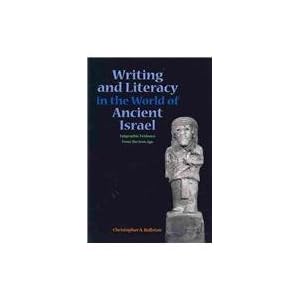
Next Up to Read: Writing and Literacy in the World of Ancient Israel: Epigraphic Evidence from the Iron Age

Picture belongs to Amazon and the Publisher.

Taking a quick break from Grad School information, everyone should check out this book.  It\’s been out for awhile, but–unfortunately–Brill publications can be a bit prohibitive to anyone with a student budget.  Now that it\’s out in softcover it has jumped to the top of my \”to buy\” list and is pretty close to the top of my \”to read\” list.

You can read David Carr\’s review here and there are numerous other online reviews (I\’ll try and link some of them shortly).

Brill (Hardcover, 123.00)

SBL (Softcover, 21.95)

Amazon (Softcover, 19.75 and Prime Eligible)

Applying to Grad School: Research

Graduate School is an exercise in attrition.  Perhaps especially so during the application process. The process is long, grueling, and expensive.  You are trying to find that which will consume most of your time for 5-7 years.  It is fair to say that you are looking for a temporary spouse. So, just as must people do not get married at the drop of a hat, but seek to understand and love the person to whom they propose, I propose that you do the same in your search for a graduate school.  Don\’t marry a program and then decide two years in that you\’re not a good match.  That\’s not good for anyone.

First, you search to find relevant schools for your area of expertise.  For a Hebrew Bible/ANE guy like myself, that is a lot quicker than if I was a NT/Classics guy.  There simply aren\’t as many schools where you can learn Semitic languages (e.g., Akkadian) as there are where you can learn Latin.  However, the list of PhD granting programs in my field is still quite lengthy.  To help me manage all of my notes and information on these programs, I actually created a spreadsheet.  I gave each school a column, and then designated various rows for different information.  Honestly, I don\’t know how anyone else does it any other way. It gave me a really nice way to view the schools side-by-side and make decisions between them (see below for more).

After identifying particular schools, then you have to look at their specific program.  While there are a number of programs that are related to what I want to teach (the history, languages, and literature of the ANE), I had to decide exactly where my focus would be.  Did I want to be a Comparative Semitics guy? A Hebrew Bible guy?  A History guy? Or did I want to focus on archeology, Summer, Assyria, Babylonia, Egypt, or Religion?  These are all slightly (or very) different foci, and deciding exactly which best suits your interests (and dissertation topic) is very important.

The above step is vital.  Especially because of how much it impacts the next: researching the professorship.  After you have decided on your area within the overall field (or major within your department), you need to take a serious look at their teaching faculty in that area.  This doesn\’t just mean looking at their names and thinking, \”Oh! I saw that he wrote an article in ASOR once!\” Instead, this means making an intensive study of what they\’ve written.  What is their focus?  What methods do they employ?  Do you think they would be a good match for a dissertation advisor?  Do their interests mirror yours? And, an often ignored question, \”How often does this professor actually teach?\”  Some professors department websites list simply teach one class every two years, acting more as professors emeriti.  If you are really looking forward to taking a majority of your coursework from that professor, you would end up sadly mistaken.  Similarly, don\’t just research the professors, research the classes that they teach.  Normally, department websites have old course offerings available for viewing and I highly recommend that you consult those as well.

Lastly, research the school/program itself.  What reputation do they have in the scholarly community?  The above questions have more to do with your education, this question has more to do with what you\’ll be able to do after you receive your education.  For better or for worse, the academe is a political creature.  We can discuss how this shouldn\’t be so (which I won\’t do at this time), but think that just because it shouldn\’t be that it isn\’t is a mistake.  So, if you want to teach at a state school after graduation, don\’t get your PhD from a seminary.  While the education you receive at X Seminary could be better than at Y State School, if you have your heart set on teaching at a state school then don\’t go to Seminary X.

All of the above points, though, are based around the most important–and often hardest–area of research: yourself.  After you have done all of the above you still have to filter it through yourself.  You need to understand what your own dreams, hopes, values, goals, and research projects are before you can evaluate those of the schools at which you are looking.  Being happy at a program will be crucial to your success, and realizing whether you are a good match for a program is just as important.  If you are an evangelical Christian, you might not want to submit yourself to, say, Chicago\’s Divinity program.  Likewise, if you are an anything other than an evangelical Christian, you probably wouldn\’t be very happy at, say, Wheaton.  That\’s not to say that anything is wrong with either of these two schools, merely that you owe it to yourself and to the school that you plan to attend to know–is this a good match?

Post-GRE Observations

I took the GRE last monday and now having taken both the \”old\” GRE and the \”new\” GRE I can say for certain that I prefer the newer rendition for a few reasons. 

  1. It\’s no long a CAT.  The CAT, or Computer Adaptive Test was a neat idea at first.  The concept was that it would \”adapt\” to the tester\’s answers to provide a more accurate read.  For example, if I answer a question right the next answer will be harder.  If I get one wrong, the next will be easier.  This is good in theory, but it wasn\’t quite how it worked.  To provide a more accurate result, the GRE weighed the first 5-7 questions (out of 20) far more then the rest of the questions combined.  Of course, this was soon learned. And GRE testing manuals told you to spend the greatest amount of time on the first few questions because how you did after that didn\’t really matter.  In other words, doing well on the test became less about what you know, and more about what you know about the test.  The new test is still somewhat adaptive, but based on how you do over the entire section.  
  2. It allows test revision within a section. The new GRE also allows you to move around inside of the section to review or correct previous answers.  The old GRE, because of the way the CAT worked, did not allow test takers to return to questions after they were passed over.  This meant that if a question was taking too much test time, it must be answered (at times with a guess).  This dynamic made it difficult to gauge how much time should be given to difficult questions.  Should I try to get this question right and waste my time, or should I move one since I must answer all of the questions? 
  3. A better test question mix.  While the new GRE loses the antonyms section, it allows for multiple answer questions, fill in the blanks,  and all that apply questions.  I think that over all the additions and diversity provide a better chance of estimating true student ability. 
These changes have made some pretty significant changes to the test, and even though most of the sources I consulted (including ETS) think that the new test is harder than the old one, I think that the changes made make it a more accurate indicator of student ability.  
Having taken the test for my second time, I can also compare my experiences on a personal level.  
  1. Study pays off.  The first time I took the GRE it was in the middle of finals week my senior year of undergrad.  I hadn\’t studied for the test at all and I didn\’t even know the structure of the test.  I certainly didn\’t know about the \”tricks\” that the CAT emphasized (as mentioned above).  I went in; I took the test; I did well enough to get into my MA program; I didn\’t do great.  Before I took the GRE last week I actually studied: I reviewed math I hadn\’t looked at in years, I brushed up on little-used vocabulary, and I familiarized myself with the types of questions that the GRE included.  I went in; I took the test; I did much better this time.  
  2. Composure pays off.  The first time I took the test I was a nervous wreck.  I hadn\’t studied for it at all, I had no clue what would happen, and I didn\’t realize I couldn\’t go back to check answers until halfway through my first section.  The second time I was far more composed: I didn\’t make the same mistakes, I didn\’t make stupid mistakes on the test due to my nervousness. 
  3. Knowing the test pays off.  This time, I didn\’t just study the material.  I studied the test:  I got a GRE book (Kaplan, in my case); I took practice tests; I studied GRE-specific vocabulary; I reviewed test strategies. 
From my personal experience, I saw a huge increase in my score thanks to the above strategies.  For better or worse, the GRE seems here to stay and, like it or not, it\’s going to be a part of grad school applications.  So, you can either approach it unenthusiastically and unprepared (like  I did the first time), or confident and ready (like I did the second time), that\’s your choice.  I can tell you one thing, though–the GRE was a lot more fun the second time around. 
(Note: I have not been paid, supported, or helped in any way by Kaplan.)

Academic Catch-22

I, like many, am currently seeking entry to Grad school.  I do have a leg-up in that I’ve already completed an in-field MA degree, but I still have to go through the same processes as anyone else does: do the research in various programs and schools, write all of the dozens of cover letters and biographies, polish my C.V., choose professors to write recommendations, choose a paper that highlights your work, and—most dreaded—study for the GRE. 
Which brings up the academic Catch-22. Do I spend my time studying for the GRE or do I spend my time studying the discipline to which I am seeking entry?  Or, more cynically, “Is it a better expenditure of my time studying math formulas for a test that I need to do well on to get entry into the program that I dearly desire, but will never utilize again?  Or should I spend my time learning more about Hebrew syntax, polishing vocabulary, reading secondary literature, and learning secondary languages that will aid me once I get into school and continually thereafter?”
This is, of course, a huge problem.  Study the test and have a better chance to get into grad school, get a fellowship, etc., or study the material and do better once you get?
So, as a student, which would you spend your time on?  As a member on a graduate entrance committee, which would you place emphasis on?  Do you think grades, recommendations, publication, GRE scores, or submitted materials are the most important?   How would you grade the above in order of importance?  

Hellas and the ANE


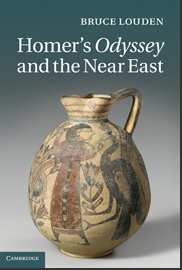
I just saw a new book from the Cambridge UP that looks promising.

Bruce Louden\’s Homer\’s Odyssey and the Near East looks to be an intriguing look at an ignored possibility.  Previous scholarship tended to believe that Hellas and the ANE never interacted prior to Alexander, but newer archeological discoveries and literary research now indicates that such boundaries were actually quite permeable. There have, therefore, been increasing numbers cross-cultural studies between Western and Near Eastern literature.

Of couse, I\’m biased since this study is of special interest to my (my MA thesis dealt with reading Chronicles through the lens of Thucydidean historiography), but it looks like something that will definitely be worth a read.

If you go here you can get a google-preview of the book, read some excerpts, etc.  

The included descriptions reads: 

The Odyssey\’s larger plot is composed of a number of distinct genres of myth, all of which are extant in various Near Eastern cultures (Mesopotamian, West Semitic, Egyptian). Unexpectedly, the Near Eastern culture with which the Odyssey has the most parallels is the Old Testament. Consideration of how much of the Odyssey focuses on non-heroic episodes – hosts receiving guests, a king disguised as a beggar, recognition scenes between long-separated family members – reaffirms the Odyssey\’s parallels with the Bible. In particular the book argues that the Odyssey is in a dialogic relationship with Genesis, which features the same three types of myth that comprise the majority of the Odyssey: theoxeny, romance (Joseph in Egypt), and Argonautic myth (Jacob winning Rachel from Laban). The Odyssey also offers intriguing parallels to the Book of Jonah, and Odysseus\’ treatment by the suitors offers close parallels to the Gospels\’ depiction of Christ in Jerusalem.

It will be interesting to read the thoughts of a well-known Homerian on this topic, and even if such parallels are merely representative of a common milieu rather than actual interaction between the texts it will still provide impetus for future forays into the topic.  I certainly plan on getting this once finances allow; £60 is pretty steep for a poor student like me.

 (Thanks to Charles Halton for the tip off!)

Tools for Students: Outlining

One of the most overlooked tools in a box of a student of biblical history is an outline. Yes, I just said an outline. \”What?!\” You might say, \”Why one earth would an \’outline\’ be such a powerful tool?\” There are a lot of other tools that are far more obvious to most of us: knowing the language of the text (whether that be Classical Hebrew or Koine Greek), peripheral languages (such as Akkadian, Aramaic, Latin, Classic Greek, etc), or the history, literature, and philosophy of the ancient/classical word. And don\’t misunderstand me, I absolutely think that these are powerful tools in their own right. However, I\’m going to talk about outlines because they are terribly overlooked, or, as is more often the case, just done badly. I\’ve been doing a lot of reading for Exodus lately, and it\’s interesting to see how different commentators chose to deal with the content.

Sarna (JPS) posits the below as a possible outline:
– 1.1–15.21 – Bondage to Liberation
– 15.22–18.27 – At the Sea of Reeds
– 19–40 – At Sinai

Hamilton (Intro to Pentateuch) suggests the following (taken from Westermann, 1967):
– God’s Saving Act: Deliverance out of Distress (1–14)
– The Distress (1–11)
– The Deliverance (12–14)
– Man’s Response in Praise (15.1–21)
– God’s Action: Preservation (15.22–18.27)
– From Thirst (15.22–27; 17.1–7)
– From Hunger (16)
– From Despair (17.8–16; 18.1–27)
– Man’s Response in Obedience (19–31)
– Transgression and Renewal (32–40)

Dozeman (Eerdmans) offers the following:
Divine Power
– Setting (1–2)
– Characters (3.1–7.7)
– Conflict (7.8–15.21)
Divine Presence
– Journey (15.22–18.27)
– Revelation (19.1–24.11)
– Sanctuary (24.12–40.38)

The three examples above are characteristic of most of the outlines that I\’ve seen. The first (Sarna) is an outline based on location: this seems simplistic. Yes, it does look nice, but it doesn\’t add anything to the study of the Exodus, nor does it explain anything about the book other than that Exodus is about a journey from one place to another–which the (English) title does quite well already. The second (Westermann) is more on track. It seeks to find an outline from the internal structure of the book\’s own queues rather than some externally mandated place markers that the text doesn\’t seem to emphasis. Of the three varieties, I find this to be the most helpful. It tries to explain the emphasis given to the various themes of the book and expect their relationship to each other. However, I\’m not convinced that Westermann (or Hamilton, who quotes him) quite has it either. The third (Dozeman) takes more of a linear-literary track to explaining the book that is somewhat appealing. It certainly does well to show the progression of the book, but again, I\’m not convinced that it does too much to explain the progression.

In other words–what\’s the point of an outline? I think that the outline should do more than track its progress–it should explain it. In other words, when you look at an outline, you should be able to predict what will follow. The outline should help explain why the author/editor chose to include what (s)he did as well as the order that (s)he placed it in. In other words, I think that an outline should receive more than a nod.

When I consider the format of Exodus, the largest question that comes to my mind is why the author-editor chose to separate the Golden Calf incident (32–33) from the rest of the Sinai narrative (19–20). Sure, we could explain by invoking various strata of editorial changes and desires, but if this is the case then whoever the final editor was (the person who placed it in the format that we find it in our BHSs) must have been an idiot to leave it this way (unless, of course, this was as intended). So, this is where I started. I wanted an explanation that would answer this question. So, here\’s what I came up with.

I. Crisis: Israel has the Wrong Master (Egypt) Exd 1.1–2.22
II. God Hears their Plea Exd 2.23–4.31
III. God Saves Israel from Egypt Exd 5–18
IV. God Plans to Dwell with Israel Exd 19–31
Ia. Crisis: Israel Chooses the Wrong Master (Calf) Exd 32.1–10
IIa. God Hears Moses’ Plea Exd 32.11–14
IIIa. God Preserves Israel from Death Exd 32.15–33.23
IVa. God Plans to Dwell with Israel Exd 34–39
Pinnacle: God Dwells with Israel Exd 40

This arrangement explains why the Sinai narrative (which is primarily rendered as \’historical\’ [whatever one\’s thoughts are on the historicity of Exodus, it\’s clearly portrayed as a report of true events!]) is separated by such a large chunk of Law and cultic material. Beyond that, this arrangement finds a number of parallels that play off of the constant pairings that Exodus shows.

Now, I\’m not necessarily convinced that the above *must* be the correct outline, but I think it\’s at least a step in the right direction.

Tools for Readers: Library Management

Delicious Library is an excellent tool for anyone with a large amount of media.  It enables you to easily record, categorize, and share your library.  Whether your media is music, movies, video games, or books, Delicious can handle it.  I first started looking for ways to manage my library when my wife and I first decided on getting renter\’s insurance. For the insurance to really be worth it, we needed to have a good idea of the value of our possessions.  Even tougher, though, was that we\’d probably have to provide an itemized list were we ever robbed (or you know, had our house burned down).  That got me thinking about my library. I have a large library, especially for someone in my stage of life.  What can I say, I\’m a bibliophile! Other kids would spend their money on movies and video games, I always spent mine on books.  So, looking for options (as well as helping my manage my over-grown collection) I found  Delicious Library.  I\’ve got a friend who keeps the entire contents of his library in an Excel spreadsheet, but that seemed like a lot of work at this point in the game.  I really wanted something easier.  
So, how is Delicious easier?

Delicious Library Window
Delicious Library Full Window View

If you have a camera (or built-in iSight for all of those Apple users like me) then there is a \”scan\” mode that works just like the scanner at a store.  Simply hold your media\’s UPC code up to the camera, center the code, and beep!  The program automatically downloads all of the information from Amazon. If, as will happen to those with much older books, your book doesn\’t have a UPC attached, you can use the simple search function using the ISBN (or, for those very rare cases when your book doesn\’t have an ISBN, the title, author, or other identifiable characteristics) and go through the same process.  

On the right, you can see what the full window of the application looks like.  Clearly, it took some hints from the iTunes design.  
section of BBH
Now, I haven\’t actually finished uploading all of my books (as you can see here, I\’ve only got about 50 books, and over 100 movies and tv shows loaded, as well as all of my iTunes library, which uploads automatically), but you can still see a good representation of what the application looks like in usage.  In the center are your books.  If you click on one of them (in this case, Adler\’s excellent \’How to Read a Book\’) it pulls up a side bar shows you the downloaded synopsis and material from Amazon.  If you click on one of the other side-bar options, instead of a synopsis of the book, it provides added details. 

For example, when I select Pratico and Van Pelt\’s \’Basics of Biblical Hebrew\’ and then \”details\” on the side-bar it pulls up this image (right). Aside from the synopsis and details, you can also download amazon reviews, leave personal comments, edit any of the include fields, or leave your own personal rating.  Pretty useful stuff.
One of the more handy sorting options is the  “bookshelves” that you can create and use to sort your collection (visible in the first photo, on the left-hand side), as you can see I’ve several shelves so that I can sort my library digitally the way I have it sorted physically. 
Perhaps best of all, this tool is on sale currently for only $25.  You can also download a free trial (worth 25 uploads) so you can see how it works for yourself before you dish out the money.  
The only thing I wish this tool had that it doesn\’t is a mobile app.  However, we can hope that such is on the way.
How about you guys?  Any tools for helping you manage your books and other media?

Publishing and Reviewing Journal Articles

It\’s understood that one of the primary scales on which applicants for jobs, tenure—and sometimes even admission into programs!—are based is their publishing record.  Journal articles are a huge part of that scale, but in some schools (especially smaller ones), the \”hows\” and \”whys\” aren\’t emphasized or even explored.

It\’s for that reason that I am so appreciative of Robert Holmstedt\’s two posts over at his and John Cook\’s blog (Ancient Hebrew Grammar).  The first post discusses some of Robert\’s experience (and failures) in submitting articles for publication in journals and how he reacted to them.  The second post discusses his thoughts on acting on the review board for some of the same journals.  
Though for a different field, Lennard Davis tells us What [He] Tell[s] [His] Graduate Students over at ProfHacker.  I think professors in any discipline would be well served by taking his advice for better-preparing graduate students ahead of time for the often-cut-throat world of the academe. 
Is anyone else aware of other resources/discussions for first publishing or presenting that would be helpful to students?  Oddly, I\’ve found such discussions to be somewhat spare on the biblioblogosphere in spite of a number of highly qualified bloggers who could weigh in (hint hint).

Tools for Students: Word Processors

For most of those who read this blog, writing is (and will continue to be) a daily part of life.  We write papers as an undergrad, theses and dissertations as grad, and articles, book reviews, and books as professors and researchers.  Even for those who chose to pursue futures as preachers/ministers/rabbis/etc, they will end up writing sermons, bible classes, bulletin articles, and other materials.  No matter what, for most of us, we are doomed to produce for the rest of our lives and our key tool for such will be our pen (or, as in my case, the computer). However, as we all know–writing is hard.  It\’s tough to make yourself do it, it\’s hard to get anything done once you set down to do it.  However, it doesn\’t have to be quite so hard.

So, I\’m writing a series of posts on some tools to help us write better, easier, quicker, and with less frustration.  The first post will cover word processors, and we\’ll go from there.

Microsoft Word: Most of us use some sort of word processor to write our documents.  And, thankfully, we\’re a long way forward from text edit.  Most of us have only heard of (or used) Microsoft\’s Word.  Word is pretty robust.  It can outline, import images and tables, and it comes standard on most computers.  It\’s got one problem; it gives me a head-ache.  It attempts to auto-format (which is bad enough in your footnotes, but is murder when trying to use other languages), it\’s a RAM hog on my computer, it\’s expensive ($150), and it\’s a huge file.  However, the main thing I don\’t like about it is that when I\’m trying to write on my laptop, I need 3-4 different documents open all at once and I\’m constantly having to alt-tab (or, as I have a Mac, use Spaces) to get from one window to the other.  The best thing about it is that most people use it and therefore require documents to be submitted in Word. Bottom line?  This is still the standard and looks to continue to be for quite a while.

Open Office: However, it seems like every year brings more healthy competition to Word\’s seeming monopoly.  My first alternative, back when I was an undergrad, was OpenOffice.  There are a lot of great things about OO.  It handles a lot like Word, so the learning curve when switching over is very slight.  It\’s also open source.  While this may not be terribly important to some of you, I think this is really the way of the future for a lot of software development.  You can suggest fixes, report bugs, and even ask for new features.  However, the best part of OO is that it\’s completely free.  Unfortunately, like most freeware, it does come with some side-effects.  First off, it\’s ugly.  The icons look like they came straight out of the nineties, and many of the tool bars are busy.  Second, though they finally have a Mac download (which they did not have when I first used it), it\’s still pretty clunky on a Mac and it\’s not unknown to crash (though that can be said of Word as well).  Bottom line?  Don\’t expect anything too fancy or groundbreaking from this one.  However, if you\’re cash-strapped and need something to write with while saving up for something else, or even if you\’re just tired of Word, then download this and try it out for yourself.  It\’s free, why not?

Pages: Apple\’s Word substitute, Pages, is a great alternative for those who have a Mac.  First off, it\’s powerful.  I\’ve yet to find something that I needed to do in Pages that I couldn\’t… but figuring out the \”how\” might drive you nuts.  Oddly for Apple products, I didn\’t find Pages to be very intuitive.  Maybe it\’s just my Word-trained brain, but I had a hard time learning how it worked.  However, when I did I much preferred it to Word.  (And don\’t even get me started on PowerPoint versus Keynote.) It also easily beats Word in terms of price ($20 for just Pages, or $80 for the whole suite).  Bottom line? I think Apple created something that\’s better as an overall publishing tool (creating posters, calendars, bulletins, invitations, etc., that it is for scholarly writing.  But, for $20 it might be more in your budget than Word is.

Mellel: Mellel represents a completely distinct approach to word processing.  Created in Israel, Mellel is easily the best processor that I know of for handling non-Roman fonts such as Hebrew.  Instead of forcing one to write backwards, press space to skip a word, and continue on (which becomes a huge head-ache when including blocks of text) like Word, Mellel automatically re-orients itself to handle the shift.  It\’s also quite powerful.  Anything that you\’ll need to do for aspects of technical/academic writing, Mellel will be able to handle.  Need footnotes?  No problem.  Need footnotes and endnotes? No problem.  Need two types of footnotes (say one for content, the other for textual variants, etc) and endnotes?  No problem.  That\’s great.  However, this power is not without responsibility.  There\’s a huge learning curve.  Most of the reviews I\’ve seen recommend reading (or at least skimming) the 100+ page instruction manual prior to use in order understand what\’s under the hood.  From the amount I\’ve used it, I can understand why.  However, that\’s really the only complaint I have to level against it.  The new version (2.6) has taken out almost all of the bugs, it looks great (think iTunes in a word processor), and it\’s dirt cheap for an education license ($29) that comes with unlimited free updates for upcoming versions.  Bottom line?  If you\’re working heavily in multiple languages, need a heavy-duty processor, and aren\’t scared of a learning curve, buy it. If not, you might want to stick to something easier like Word.

Scrivener: First off, let me say that I haven\’t personally used Scrivener before.  However, it is definitely what I plan on buying once I get home (I\’m currently visiting family in Texas). It truly looks fantastic, and answers most of my desires for a processor.  Unlike the other processors in this list, Scrivener seems to have been produced with large projects in mind.  It hosts a unique approach to document creation that seems intuitive and powerful.  The idea behind Scrivener is that you need a place to help you easily arrange your thoughts, not just write them down.  It has a \”cork board\” function that allows you to place a thought, no matter how small, into some place in the paper without loosing a sentence or two in the midst of a page and without resorting to what I commonly do–REMEMBER TO FIX THIS BEFORE PRINTING \”thought I want to include\” BACK TO THE BODY OF THE PAPER.  (Yes, my approach is jarring to the eyes. That\’s the point.)  It also enables you to easily categorized, save, and view your various drafts of a project (something near and dear to my heart, since I often label drafts oddly in my documents folder), and even allows you to take periodic \”snap shots\” of your project that you can return to later should something go horribly wrong (think: writing at 3am powered solely by coffee).  Scrivener also seems devoted to the modern age: it syncs easily with mobile apps such as SimpleNote, Dropbox, etc.  But, most importantly to me (I would have bought scrivener for this alone), it allows a split-screen view in which I can view uploaded PDFs (think: articles from ATLA), notes, or other resources alongside my paper and easily move between them without switching windows.  The only thing I\’m unsure of is how Scrivener will handle multiple fonts, specifically the coding nightmare that is Hebrew.  However, it\’s pretty cheap ($45, but it also allows a 15% education discount) and I plan on testing it fully once I get home and writing a more in-depth review then (complete with screen shots!).  Bottom line: this looks amazing.  It\’s well-priced, adjusted to the future of mobile teaching and writing, and includes innovative features. However, if you\’re a Windows user (my condolences), then you\’ll have to either jump into the beta (for free!), or else wait for it to come out.  (In depth review from the Chronicle of Higher Education here.)

Are there any other notable word processors out there that I should know about?  Do you have an in-depth review of one of the above that you\’d like to submit for me to publish here?  Or do you have any comments, disagreements, or additions?

P.S. Nathan Collier has been trying to get me to write in LaTeX for awhile now, but I\’ve been hesitant.  Any of you used that in non-scientific writing?
The Value of Education

An older (Oct 2010) study in the Wall Street Journal discusses the value of education.  Is it quantifiable?  Recently, Texas A&M underwent a fiscal evaluation that attempted to prove just that.  Each of the professors at the school were audited along the lines of how much money they brought to the school (research grants, student numbers, and tuition received) versus how much they costed the school (salary, etc).  Some of the professors did extremely well; others not so much.

The university even broke down profitability by department, and the results were somewhat surprising.

Image and data courtesy of WSJ.

It\’s not surprising that chemistry rated so high.  However, it might be surprising to some of us in the humanities that History and English were both higher than the \”hard sciences\” of Physics or Aerospace Engineering. (That should prove to some people the value of these things!) These sorts of studies are certainly enlightening, but some wonder about the danger that it might create.

This new emphasis has raised hackles in academia. Some professors express deep concern that the focus on serving student \”customers\” and delivering value to taxpayers will turn public colleges into factories. They worry that it will upend the essential nature of a university, where the Milton scholar who teaches a senior seminar to five English majors is valued as much as the engineering professor who lands a million-dollar research grant.

Certainly in cash-strapped times like this, comparisons will be drawn and laws made (such as the one in Texas, mentioned in the article). However, how do you place a number on \”value\” rather than simple \”profitability\”?  There is no doubt that a new, non-combustion engine would affect the world in far more immediate and concrete ways than the translation of an otherwise unknown legal tablet from Summer. But, the value of the arts in relation to the sciences is far less linear than some might want us to believe.  There is no price on culture.  If the world were going to experience some cataclysmic event, people would be just as worried about protecting the Mona Lisa, the Gilgamesh Epic, the Bible, and Shakespeare as they would about protecting the theorems of science.

What did you think about the article?

(Thanks to Nathan Collier for pointing out this article.)